Description
Deviking Product Feeds Pro
Create powerful WooCommerce product feeds for marketplaces, advertising platforms and external services
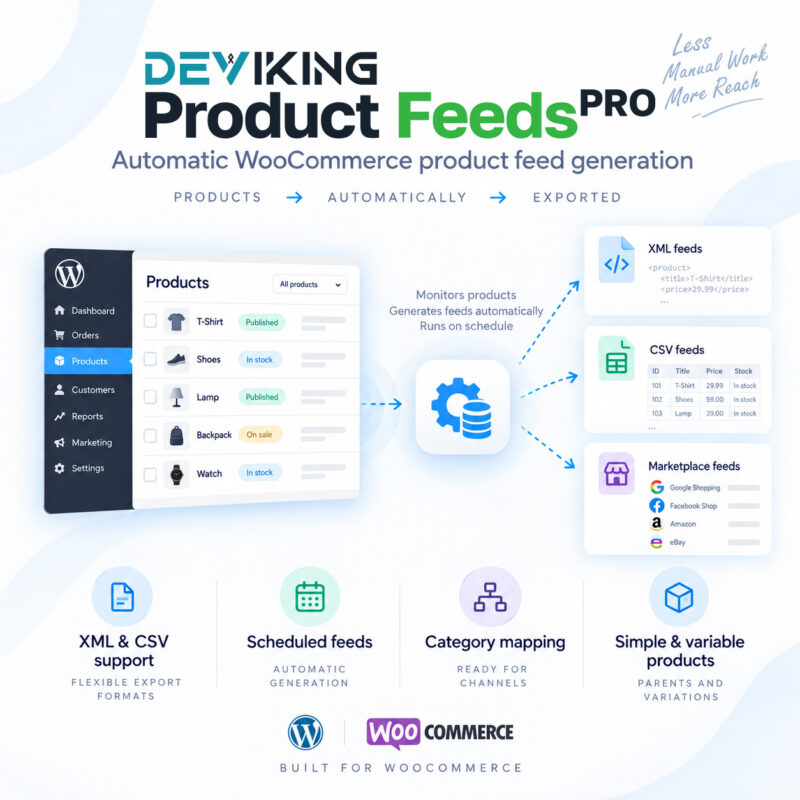
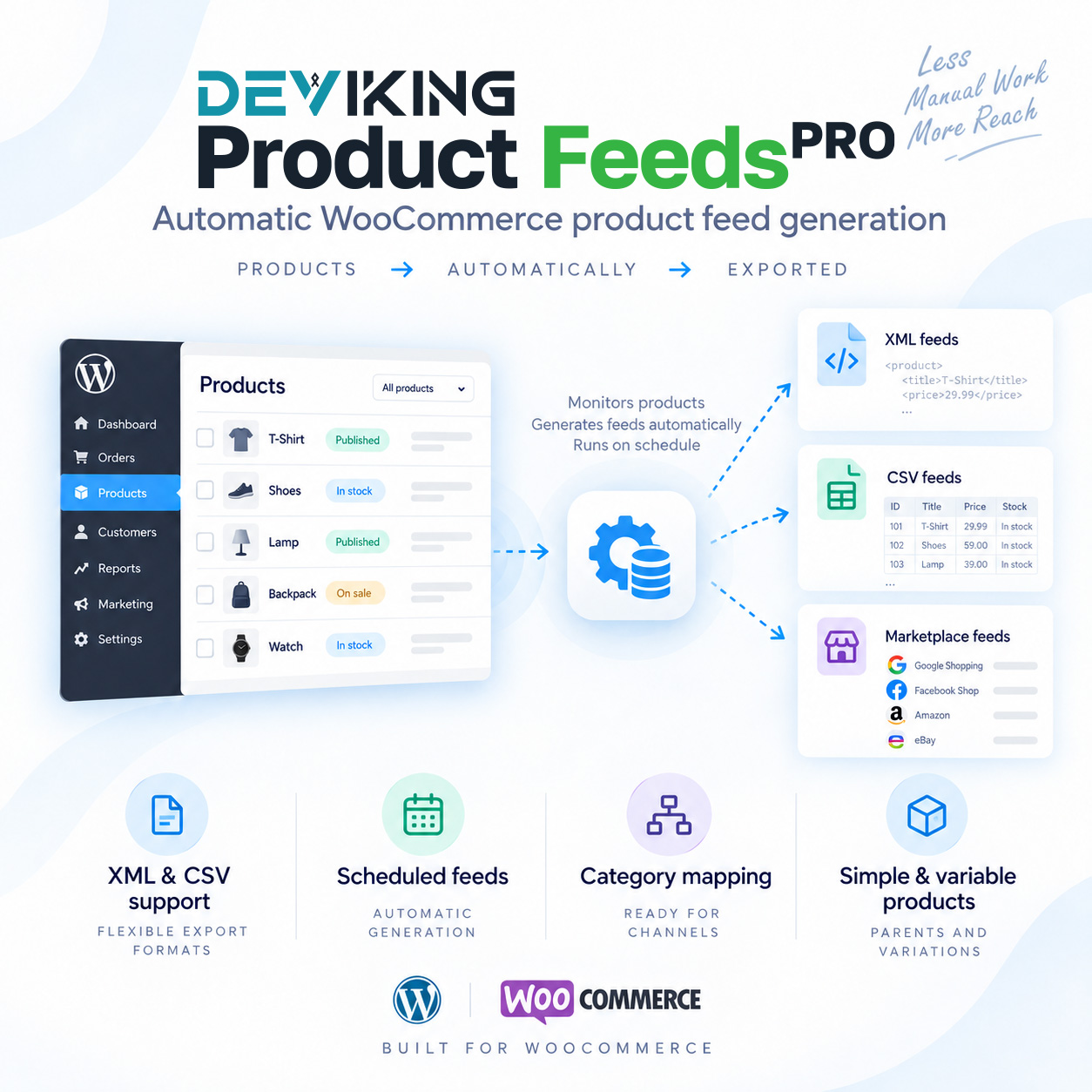
Deviking Product Feeds Pro gives you complete control over how your WooCommerce catalog is exported.
Create XML and CSV product feeds, map product data exactly as required, filter which products are included, transform values, build conditional fields, calculate marketplace-specific prices, map categories, export variations and automatically deliver your feeds to remote servers.
Whether you need a simple Google Shopping feed or a completely custom XML structure for a third-party marketplace, Deviking Product Feeds Pro lets you build it directly inside WordPress — without modifying your WooCommerce catalog.
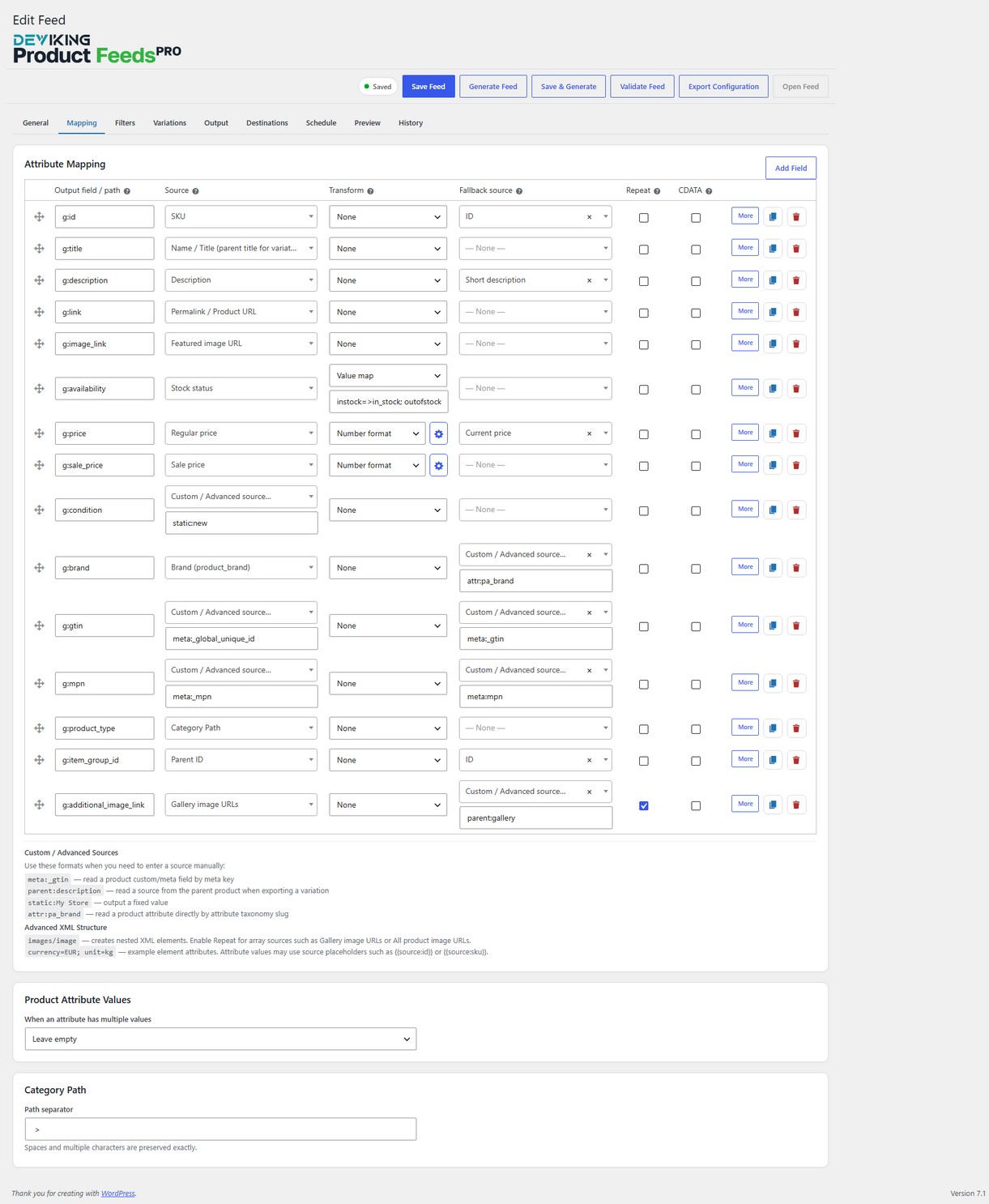
Build exactly the feed your destination requires
Every marketplace has its own product-feed specification.
Deviking Product Feeds Pro allows you to control each output field independently, choosing where its value comes from and how it should be processed before being written to the feed.
Map data from:
- WooCommerce product fields
- Prices and stock information
- Product attributes
- Categories and taxonomies
- Custom fields and product meta
- Parent product data
- Dynamic Attributes
- Category Mappings
- Static values
- Custom sources
Add fallback values, transformations, prefixes, suffixes and advanced XML options directly from the Mapping interface.
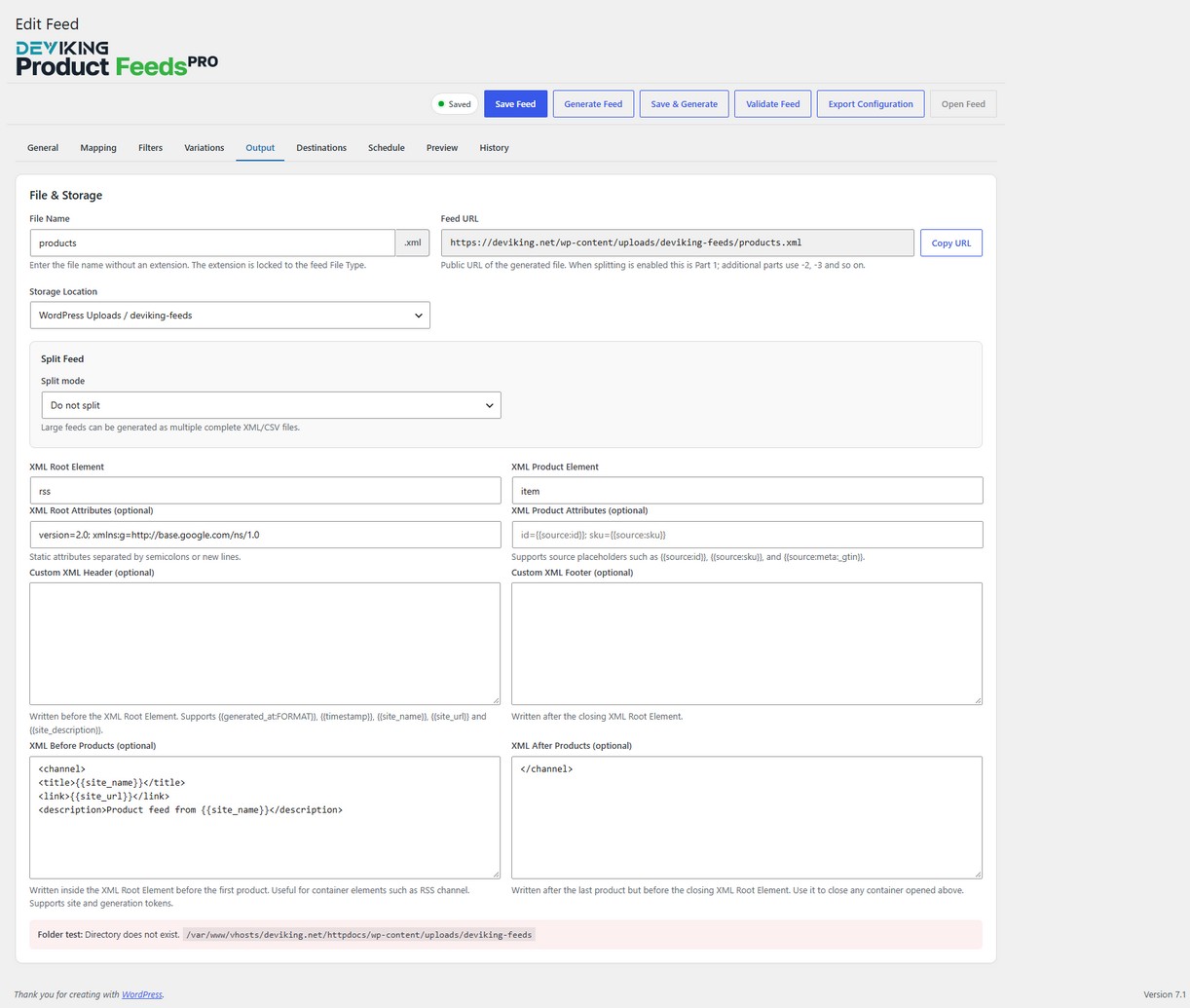
XML and CSV feeds without restrictions
Create fully configurable XML and CSV feeds for virtually any destination.
XML feeds
Control:
- Root and product elements
- Nested XML paths
- Repeated elements
- XML attributes
- CDATA
- Custom XML headers and footers
- Content before and after product records
- Namespaces
- Dynamic feed tokens
Build simple XML feeds or complex nested structures according to the exact specification of the destination platform.
CSV feeds
Configure:
- Delimiter
- Enclosure
- Header row
- UTF-8 BOM
- Custom columns
- Field order
- Dynamic values
Ideal for marketplaces, catalog imports, advertising platforms and custom integrations.
Ready-made feed templates
Start faster with built-in templates for popular platforms and services.
Deviking Product Feeds Pro includes templates for:
- Google Shopping / Merchant Center
- Meta / Facebook Catalog
- Microsoft / Bing Shopping
- TikTok Ads Manager
- Pinterest Catalog
- ChatGPT / OpenAI
- Criteo
- Skroutz.gr
- BestPrice
- SHOPFLIX
You can use a template as a starting point and customize the resulting feed to match your own requirements.
You can also create completely custom XML or CSV feeds from scratch.
Advanced product filtering
Export exactly the products you need.
Use simple Quick Filters or build advanced Include and Exclude rules based on product data.
Filter products by criteria such as:
- Product ID
- SKU
- Category
- Price
- Stock status
- Attributes
- Product fields
- Custom metadata
- Dynamic values
Advanced Filter Groups support multiple conditions with AND / OR logic, allowing highly specific feed selections.
For example, you can create a feed containing only:
In-stock products from selected categories with a price above a specific amount.
Or exclude products matching any combination of conditions.
Full control over variable products
Choose exactly how WooCommerce variable products should appear in each feed.
Available modes include:
- All products + variations – include variable parents
- All products + variations – exclude variable parents
- Simple products only
- Variable parents only
- Variations only
- Variable parents + variations
Variation records can use their own:
- SKU
- Price
- Stock
- Attributes
- Image
- Product data
while still accessing parent product information whenever necessary.
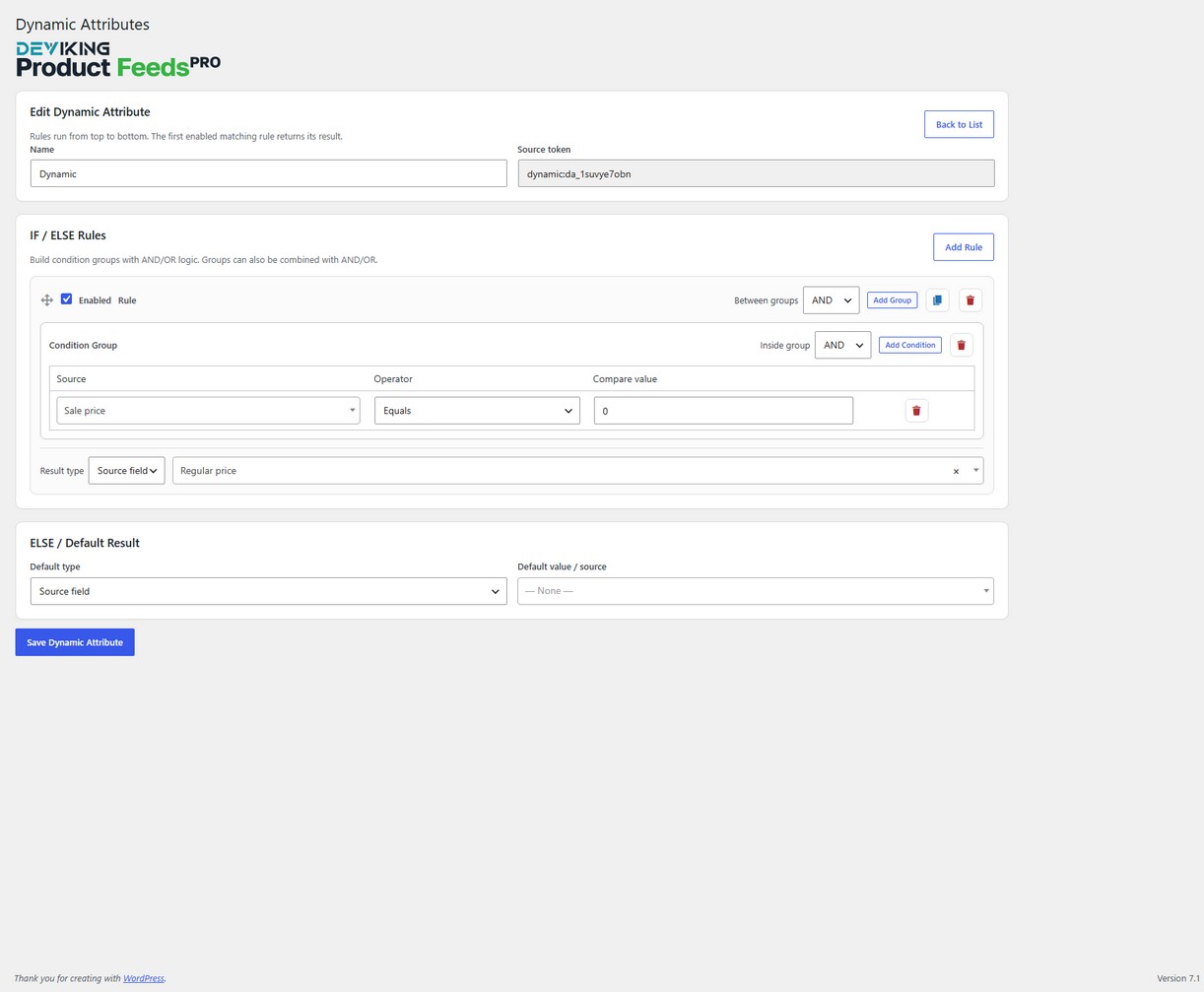
Dynamic Attributes
Create reusable values that change automatically according to product conditions.
Dynamic Attributes allow you to build rules such as:
If the product is in Category A, return one value.
If it belongs to Category B, return another.
Otherwise use the default result.
Rules can return:
- Static values
- Product source fields
- Composite / merged values
- Numeric calculations
Once created, a Dynamic Attribute becomes a reusable source that can be used across multiple feeds.
Conditional merged fields
Combine multiple product fields into a single dynamically generated value.
For example:
{{source:brand}} - {{source:name}} - {{source:attr:pa_color}}could generate:
Nike - Air Runner - BlackUse product data, attributes, custom fields and static text to create titles, labels, identifiers or any other composite feed value.
The built-in Insert Source helper makes complex values easier to create without manually writing source tokens.
Conditional pricing and dynamic discounts
Create marketplace-specific pricing without changing your WooCommerce prices.
With Dynamic Attributes and Numeric Modifier you can build rules such as:
Women category → Current Price -10%
Men category → Current Price -20%
Everything else → Current Price
Or apply adjustments based on:
- Categories
- Attributes
- Stock status
- Product values
- Prices
- Custom fields
- Other supported conditions
The calculated price exists only in the generated feed.
Your WooCommerce storefront, checkout and stored product prices remain unchanged.
Numeric Modifier
Adjust numeric values directly inside your feed configuration.
Available operations include:
- Add a fixed amount
- Subtract a fixed amount
- Increase by percentage
- Decrease by percentage
- Multiply by
- Divide by
For example:
Current Price
→ Increase by 8%
→ Format to 2 decimals
→ Export
Numeric calculation and output formatting remain separate, giving you precise control over the final result.
WooCommerce tax-aware prices
Export product prices using WooCommerce’s own tax calculations.
Available tax-aware sources include:
- Regular Price incl. tax
- Sale Price incl. tax
- Current Price incl. tax
- Regular Price excl. tax
- Sale Price excl. tax
- Current Price excl. tax
This is especially useful when different products use different WooCommerce tax classes.
Instead of manually applying a fixed VAT percentage, Deviking Product Feeds Pro uses the WooCommerce tax configuration associated with the product.
Category Mapping
Your WooCommerce categories do not always match the categories required by marketplaces.
Category Mapping lets you convert your internal WooCommerce category structure into destination-specific category names or IDs.
Create reusable category maps and assign them to feeds.
You can configure fallback behavior for categories that have not been mapped and use mapped values with:
- Parent Category
- Child Category
- Category Path
Your original WooCommerce categories remain untouched.
Powerful value transformations
Prepare product values exactly as required by the destination.
Available transformations include:
- Trim whitespace
- Strip HTML
- Preserve HTML
- Lowercase
- Uppercase
- Limit characters
- Replace text
- Value Map
- Number Format
You can also define a Fallback Source when the primary source is empty.
The value processing pipeline gives you predictable control over the final output:
Source
→ Fallback Source
→ Numeric Modifier
→ Transform
→ Prefix / Suffix
→ Feed Output
Professional number and price formatting
Control how numeric values appear in your feeds.
Number Format supports:
- 0–8 decimal places
- Dot or comma decimal separator
- Optional thousands separators
- Dot, comma or space thousands separator
- Removal of trailing zeros
- Live preview
This allows each feed to match the exact numeric format required by its destination.
Automatic feed updates
Keep feeds synchronized with your WooCommerce catalog automatically.
Schedule feed generation:
- Every 5 minutes
- Every 15 minutes
- Every 30 minutes
- Hourly
- Every 6 hours
- Every 12 hours
- Daily
- Weekly
Scheduled feeds use the saved feed configuration, making it easy to maintain continuously updated catalog exports.
FTP, FTPS and SFTP delivery
Automatically send generated feeds to remote servers.
Each feed can have multiple remote destinations using:
- FTP
- FTPS
- SFTP
Configure the remote directory, credentials, protocol and connection settings for each destination.
The feed is generated locally first and then delivered remotely, so a remote connection problem does not discard a successfully generated local feed.
Split large feeds into multiple files
Large catalogs can be divided into multiple feed files.
Split Feeds allow you to control how many products are written to each part while preserving valid output.
For XML feeds, every part remains a complete XML document.
For CSV feeds, every part can contain its own header row.
This is useful for large catalogs or destinations with feed-size limitations.
WPML support
Create separate product feeds for different languages.
When WPML is installed, each feed can use its own language context.
Duplicate a feed, select a different language and generate separate files for each localized version of your catalog.
Product data is resolved using the selected WPML language during generation.
Multiple feeds, completely independent settings
Every feed has its own configuration.
You can independently configure:
- Format
- Product selection
- Mapping
- Filters
- Product & Variation Mode
- Category Mapping
- Language
- File location
- Schedule
- Remote destinations
- Split settings
For example, the same WooCommerce store could simultaneously generate:
- A Google Shopping XML feed
- A Meta CSV catalog
- A Skroutz XML feed
- A custom supplier CSV
- A tax-exclusive B2B feed
- A WPML feed for another language
without changing the underlying WooCommerce catalog.
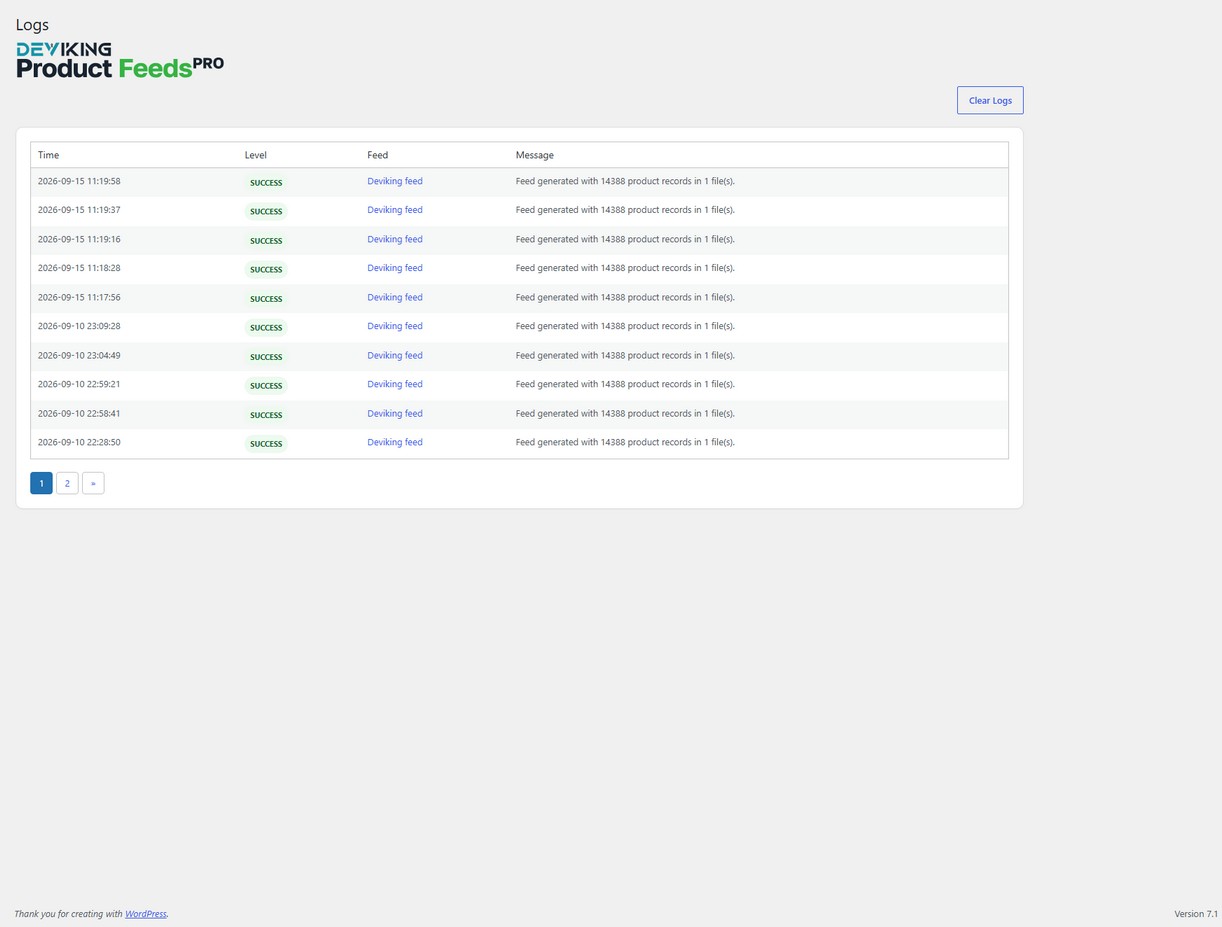
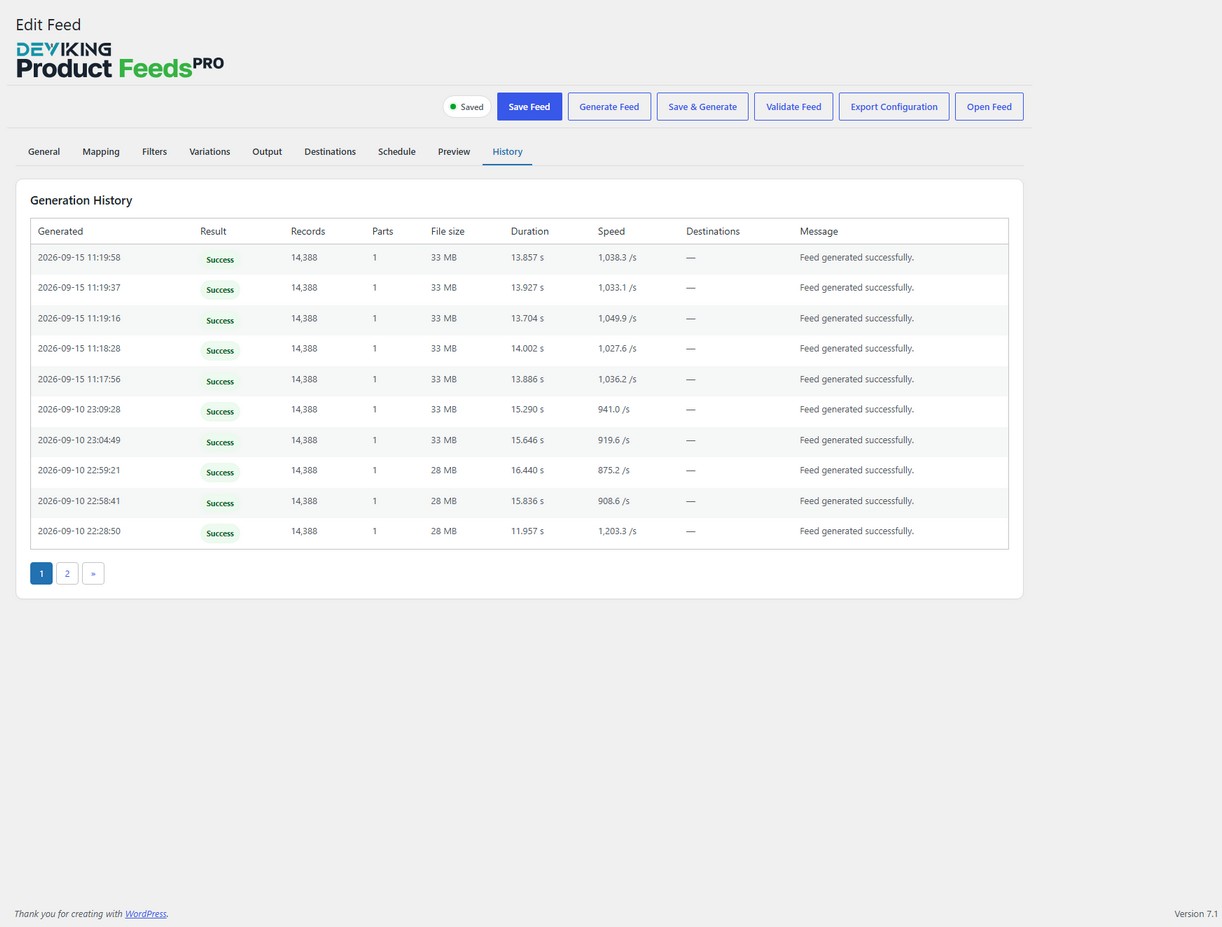
Feed History and diagnostics
Keep track of feed generation and delivery activity.
Deviking Product Feeds Pro provides Feed History and diagnostic information to help you verify:
- Feed generation
- Product counts
- Processing
- Remote delivery
- Generation performance
This makes troubleshooting large or complex feeds much easier.
Designed for large WooCommerce catalogs
Product feeds can contain thousands of products and variations.
Deviking Product Feeds Pro uses batching, cache priming and optimized product preselection to reduce unnecessary WooCommerce object loading and improve feed-generation performance.
Advanced filtering can also move eligible conditions into the initial product query whenever possible before full product processing begins.
Keep your WooCommerce catalog untouched
One of the most important principles of Deviking Product Feeds Pro is that feed-specific configuration remains inside the feed system.
Features such as:
- Category Mapping
- Dynamic Attributes
- Dynamic discounts
- Numeric Modifier
- Value transformations
- Composite fields
- Feed-specific pricing
affect the generated feed only.
They do not modify the original WooCommerce product data.
Everything you need to build professional WooCommerce product feeds
Deviking Product Feeds Pro is designed for stores that need more than a basic product export.
From simple marketplace feeds to advanced XML structures with conditional fields, customized categories, dynamic pricing and automated remote delivery, you can build and manage the entire workflow directly from WordPress.
Create the feed your destination requires — without adapting your WooCommerce catalog around the feed.
Requirements
- WordPress 6.2 or later
- WooCommerce 7.0 or later
- PHP 7.4 or later
WPML is optional and required only for multilingual WPML feed functionality.
License & Support
A Deviking Product Feeds Pro license includes:
- Lifetime plugin updates
- 6 months of technical support
- License activation for the allowed domain
Technical support can be renewed separately without affecting access to plugin updates.
Free vs Pro
Screenshots
Changelog
Version 1.1.0
New
- Added Conditional Merged Fields for combining multiple product values into a single dynamic output.
- Added a Conditional Value Builder to create reusable conditional results using static text and dynamic product sources.
- Added Composite / Merged Value result type to Dynamic Attributes.
- Added Numeric Modifier support for feed values.
- Added numeric operations:
- Add fixed amount
- Subtract fixed amount
- Increase by percentage
- Decrease by percentage
- Multiply by
- Divide by
- Added Numeric Modifier support inside Dynamic Attribute rules and ELSE/default results.
- Added new WooCommerce tax-aware price sources:
- Regular Price incl. tax
- Sale Price incl. tax
- Current Price incl. tax
- Regular Price excl. tax
- Sale Price excl. tax
- Current Price excl. tax
- Added support for conditional dynamic pricing and discounts based on product data and Dynamic Attribute conditions.
- Added source placeholders to Composite Values using the existing
{{source:...}}syntax. - Added an Insert Source helper for building composite values without manually typing source tokens.
Improved
- Extended Dynamic Attributes with additional result types and more flexible conditional output.
- Improved price feed configuration for marketplaces requiring tax-inclusive or tax-exclusive values.
- Expanded Mapping processing to support numeric value adjustment before normal field transformations.
- Improved support for advanced destination-specific pricing rules without modifying WooCommerce product prices.
Processing
- Updated Mapping value flow to:
Source
→ Fallback Source
→ Numeric Modifier
→ Transform
→ Prefix / Suffix
→ Feed Output
Compatibility
- Existing feeds and Dynamic Attributes remain compatible with the previous configuration format.
- Existing price sources and transformations continue to work unchanged.
Version 1.0
- Main Release