Complete WooCommerce Order Tracking
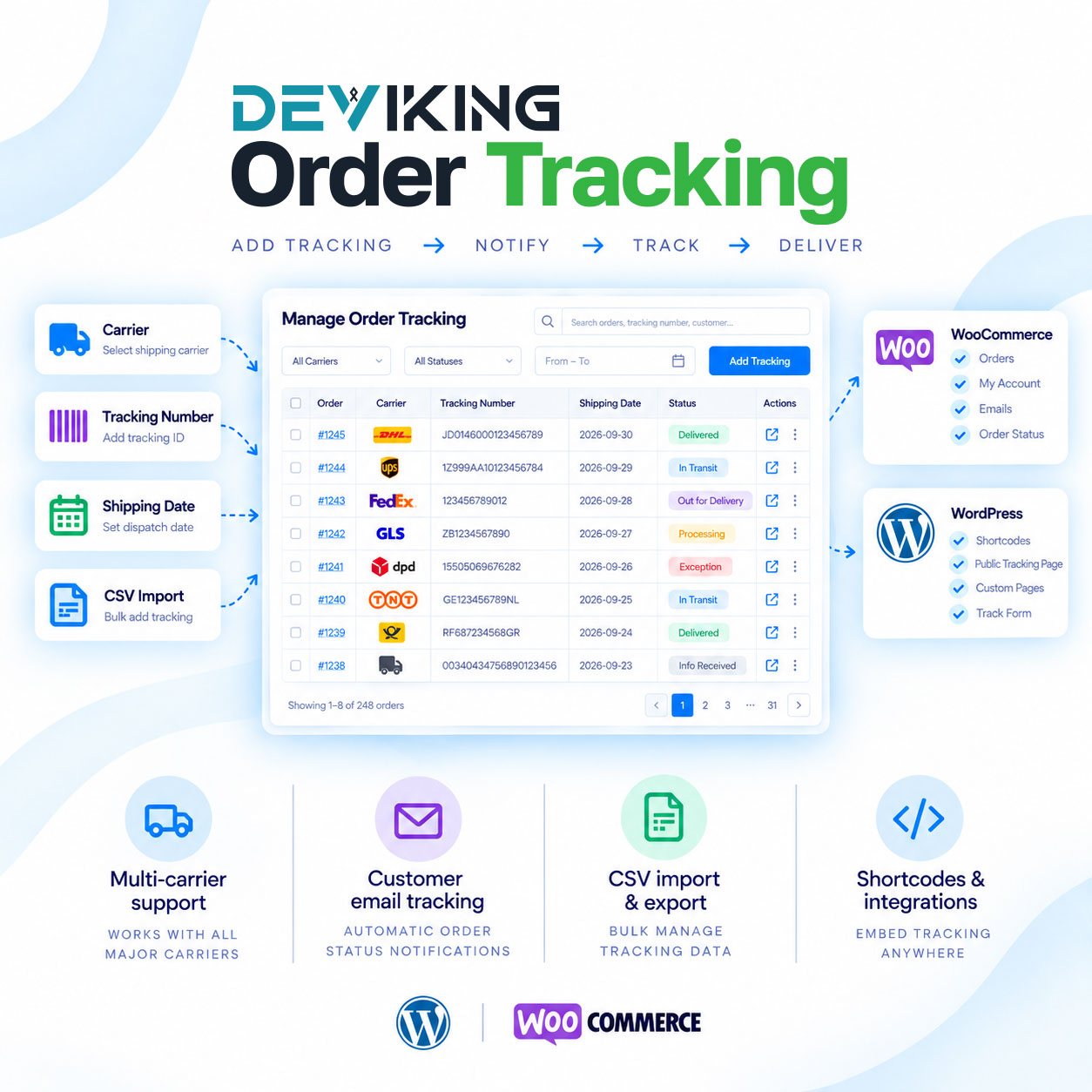
Deviking Order Tracking gives you everything you need to manage shipment tracking directly inside WooCommerce.
Add carriers, tracking numbers and shipping dates to your orders, notify customers when their order ships and give them easy access to their tracking information from your store.
The plugin supports multiple tracking entries per order, custom carriers, customer emails, public tracking pages, CSV import and export, YayMail integration and automatic WooCommerce order status updates.
Add Tracking Directly to WooCommerce Orders
Manage shipment information directly from the WooCommerce order screen.
For every shipment you can add:
- Carrier
- Carrier logo
- Tracking number
- Shipping date
- Tracking link
- Customer tracking email
The tracking number can link directly to the selected carrier’s tracking page, allowing both administrators and customers to access shipment information quickly.
Multiple Tracking Numbers Per Order
Orders are not limited to a single shipment.
You can add multiple tracking entries to the same WooCommerce order, making Deviking Order Tracking suitable for:
- Split shipments
- Multiple parcels
- Orders shipped on different dates
- Orders using different carriers
Each shipment keeps its own carrier, tracking number and shipping date.
Built-In Carrier Management
Manage your shipping carriers from a dedicated Carrier Library.
You can:
- Activate or deactivate carriers
- Activate or deactivate all carriers
- Choose a default carrier
- Edit carrier details
- Edit tracking URLs
- Add custom carriers
- Upload carrier logos
- Create custom carrier codes
Only active carriers appear when adding new tracking information, keeping the order workflow clean and easy to use.
Custom Carrier Tracking Links
Each carrier can have its own configurable tracking URL.
Tracking links can use dynamic order information such as:
- Tracking number
- Shipping postcode
- Billing postcode
- Shipping country
- Order ID
- Order number
This allows customers to open the appropriate carrier tracking page directly from their order or email.
Customer Tracking in My Account
Display shipment tracking inside WooCommerce My Account → Orders.
You can choose whether customers see:
- Carrier logo
- Carrier name
- Tracking number
- Shipping date
- Track Shipment button
You can also choose whether tracking links open in the same window or a new tab.
Public Order Tracking Page
Create a dedicated tracking page anywhere on your WordPress website using:
[deviking_order_tracking]
Customers enter their:
- Order number
- Billing email
and can view the tracking information associated with their order.
This gives your store a simple self-service order tracking page without requiring customers to log in.
Ready-Made Tracking Table
Use the built-in tracking table shortcode:
[deviking_order_tracking_table]
It displays a clean shipment table containing:
- Carrier logo
- Carrier name
- Tracking number
- Clickable tracking link
- Shipping date
The shortcode can be used in supported WordPress and WooCommerce contexts.
Shipment Tracking Emails
Send customers a dedicated tracking email when a shipment is added.
Customize:
- Email subject
- Email heading
- Email content
- Tracking information displayed
- Whether the email contains the new shipment or all shipments for the order
The email can include carrier details, tracking numbers, shipping dates and direct tracking links.
Add Tracking to WooCommerce Emails
Shipment tracking can also be inserted automatically into selected WooCommerce emails.
Choose:
- Which WooCommerce emails include tracking
- Before the order table
- After the order table
- Before customer details
- After customer details
This allows tracking information to become part of your existing WooCommerce email workflow.
YayMail Compatible
Deviking Order Tracking integrates with YayMail when the email builder is active.
A dedicated YayMail shortcode lets you insert a ready-made tracking table containing:
- Carrier name
- Carrier logo
- Tracking number
- Clickable tracking link
- Shipping date
This makes it easy to include shipment information in custom WooCommerce email templates created with YayMail.
Automatic WooCommerce Order Status
Choose what happens to the WooCommerce order status when a new tracking number is added.
You can:
- Leave the current status unchanged
- Change to an existing WooCommerce status
- Create your own custom shipment status
For example, you can automatically move an order to Shipped as soon as tracking information is added.
Custom statuses can also use their own background and text colors in the WooCommerce Orders list.
Carrier and Tracking Columns
Show shipment information directly in WooCommerce → Orders.
Optional columns include:
This allows store administrators to see shipment information without opening every order.
Tracking numbers can also be clickable for faster access to the carrier tracking page.
CSV Tracking Import
Add tracking information to many existing WooCommerce orders at once.
The CSV importer supports:
- Order ID
- Carrier Code
- Tracking Number
- Shipping Date
The importer can also:
- Preserve existing tracking entries
- Skip duplicate tracking entries
- Send tracking emails
- Apply the configured shipment order status
CSV Tracking Export
Export shipment tracking information to CSV for reporting, backups or migration.
Each tracking entry is exported separately with:
- Order ID
- Carrier Code
- Tracking Number
- Shipping Date
The exported format can also be used again with the Deviking tracking importer.
Export-Friendly Tracking Fields
Deviking Order Tracking stores separate order fields for:
- Carrier Name
- Carrier Code
- Tracking Number
- Shipping Date
- Created At
These fields make shipment information easier to use with compatible WooCommerce export and data-management tools.
WooCommerce HPOS Compatible
Deviking Order Tracking is compatible with WooCommerce High-Performance Order Storage (HPOS) and works with modern WooCommerce order management.
Key Features
- WooCommerce order tracking
- Multiple tracking numbers per order
- Built-in carrier library
- Custom carriers
- Carrier logos
- Editable tracking URLs
- Shipping dates
- Customer tracking emails
- WooCommerce email integration
- YayMail compatibility
- My Account tracking
- Public order tracking page
- Tracking table shortcode
- CSV tracking import
- CSV tracking export
- Duplicate tracking protection
- Automatic order status updates
- Custom Shipped status
- Custom status colors
- Carrier column in WooCommerce Orders
- Tracking Number column
- HPOS compatibility
Deviking Order Tracking gives WooCommerce stores a complete and flexible way to manage shipments, notify customers and keep tracking information available throughout the entire order workflow.