
Deviking Woo Toolkit
19,00 €
A powerful all-in-one WooCommerce toolkit for diagnostics, maintenance, cleanup, product management, image tools, access rules, My Account customization and more.
Plugin version:
1.0.0
Requires WordPress Version:
6.2 or higher
Requires Woocommerce Version:
7.0 or higher
- Lifetime updates
- 6 months support
- Renew your support here
Description
Deviking Woo Toolkit
A complete WooCommerce maintenance, diagnostics and management toolkit
Deviking Woo Toolkit brings together the everyday tools WooCommerce store owners, administrators and developers need to diagnose problems, clean data, maintain the database, manage product information, review store configuration and control advanced WooCommerce behavior.
Instead of installing multiple small plugins or running custom snippets for every maintenance task, Woo Toolkit gives you one centralized interface with dedicated sections for Products, Orders, Customers, Coupons, Database, Diagnostics, Media, Reviews, Taxonomies, Attributes, Shipping, Payments, Emails and more.
Use it to identify broken data, find missing product information, inspect store health, clean obsolete records, manage images, customize WooCommerce My Account, create custom stock messages and restrict access to selected content.
Diagnose your WooCommerce store from one place
Woo Toolkit includes dedicated diagnostic modules for the most important areas of your WooCommerce installation.
Check:
- Products and variations
- Orders and payment data
- Customer records
- Coupons
- WooCommerce database tables
- Scheduled actions
- Media and product images
- Reviews
- Product categories and tags
- Attributes
- Shipping configuration
- Payment gateways
- WooCommerce emails
- Theme template overrides
Each tool focuses on one specific issue, making it easier to understand what was found and what requires attention.
Powerful product diagnostics
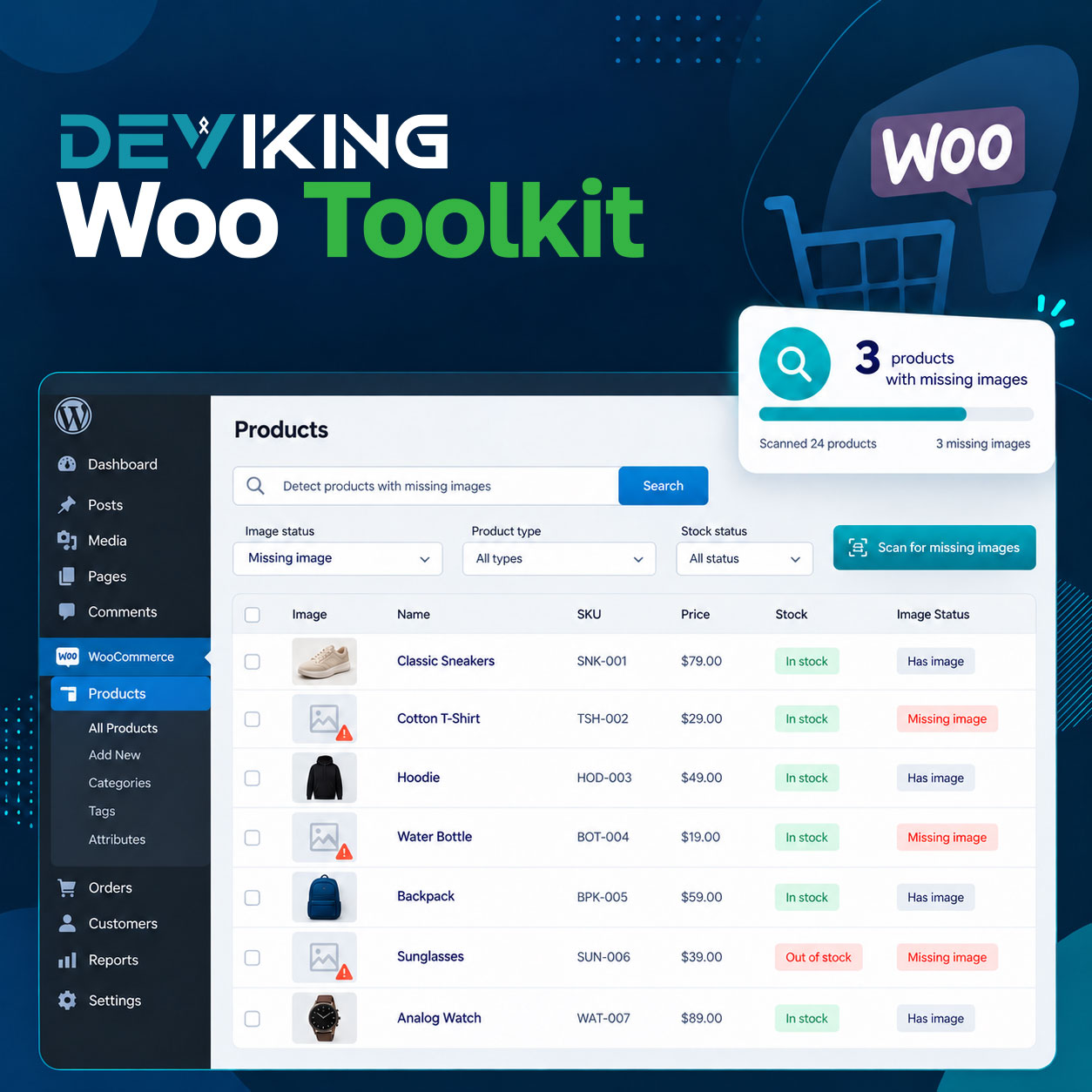
Find incomplete or inconsistent WooCommerce product data without manually checking hundreds or thousands of products.
Product tools can detect:
- Missing featured images
- Missing SKUs
- Duplicate SKUs
- Missing prices
- Variable products without variations
- Variations without prices
- Broken product images
- Missing categories
- Missing descriptions
- Missing short descriptions
- Products without tags
- Zero stock
- Negative stock
- Variations without SKUs
- Variations without images
- Orphaned variations
- Duplicate product titles
Results can be reviewed directly inside Woo Toolkit and exported to CSV.
Scan history and CSV export
Every diagnostic scanner keeps the latest 20 scans for that module.
This allows you to compare store conditions over time without losing previous results.
Each scan is stored as a snapshot, so opening an old scan does not run the scanner again.
You can:
- Browse previous scans
- Search inside saved results
- Navigate large result sets with pagination
- Export any saved scan to CSV
CSV files use UTF-8 encoding for reliable use with Excel and other spreadsheet applications.
Custom Stock Status
Replace standard WooCommerce stock messages with custom text that better matches your store.
Configure global messages for situations such as:
- In stock
- Low stock
- Available on backorder
- Out of stock
- Managed stock quantities
Each status can have its own:
- Custom text
- Text color
- Font size
- Cart and checkout visibility
You can also override the global configuration per product or per variation.
The fallback logic is:
Variation → Product → Global status
Custom Stock Status changes only the displayed message.
Your actual WooCommerce stock status, quantity and purchasing logic remain unchanged.
Automatic Category Menu Builder
Automatically build WooCommerce category navigation from your existing product-category structure.
Choose one or more parent categories and Woo Toolkit can automatically add their child categories to a WordPress menu.
Configure:
- Target menu
- Parent categories
- Direct children or all descendants
- Empty-category handling
- Category sorting
- Manual or automatic synchronization
If the selected parent category already exists in the menu, Woo Toolkit uses the existing menu item and places generated child categories underneath it.
No duplicate parent item is required.
Order integrity diagnostics
Woo Toolkit helps identify unusual or inconsistent WooCommerce order records.
Detect:
- Orders with no line items
- Invalid order totals
- Paid orders with incorrect statuses
- Processing or Completed orders without paid dates
- Refunds greater than the order total
- Broken product references
- Duplicate transaction IDs
- Duplicate order numbers
- Old Pending Payment orders
- Old Failed orders
- Invalid customer references
- Invalid order currencies
- Missing or invalid billing emails
Order diagnostics use WooCommerce APIs and are compatible with HPOS.
Customer and coupon diagnostics
Review customer data and promotional settings for inconsistencies.
Customer tools include:
- Duplicate billing emails
- Duplicate billing phone numbers
- Account and billing email mismatches
- Invalid billing countries
- Guest orders matching registered customers
- Customer accounts without orders
Coupon tools include:
- Expired coupons
- Unused coupons
- Invalid coupon amounts
- Invalid spending limits
- Broken product restrictions
- Broken category restrictions
- Usage-limit inconsistencies
- Duplicate coupon codes
Database diagnostics and maintenance
Keep your WooCommerce database healthier by identifying expired, orphaned and inconsistent records.
Database diagnostics include:
- Missing WooCommerce tables
- Expired WooCommerce sessions
- Expired WooCommerce transients
- Failed scheduled actions
- Old completed/canceled scheduled actions
- Orphaned order item meta
- Orphaned order items
- Orphaned product meta
- Orphaned product lookup rows
- Large WooCommerce autoloaded options
For supported maintenance operations, Woo Toolkit uses a controlled workflow:
Dry Run → Preview → Confirm → Apply → Log
Safe maintenance tools
Perform common WooCommerce cleanup and rebuild tasks from one interface.
Maintenance tools include:
- Clear expired WooCommerce sessions
- Clear expired WooCommerce transients
- Clean old scheduled actions
- Rebuild product lookup tables
- Recount product terms
- Rebuild product attribute lookup data
- Clean orphaned WooCommerce product meta
- Clean orphaned order item meta
- Clean orphaned product lookup rows
Potentially destructive actions include confirmation steps and execution logging.
Media and image diagnostics
Find common WooCommerce image problems without manually browsing the Media Library.
Detect:
- Product images without alt text
- Missing physical image files
- Missing attachment metadata
- Oversized product images
- Invalid image attachments
- Duplicate product image files
- Product-attached images no longer referenced by products
Woo Toolkit separates diagnostic scanning from destructive image cleanup so you can review issues before deciding what to remove.
Advanced Image Cleanup
When you intentionally need to clean product images, Woo Toolkit provides dedicated cleanup tools.
Available actions include:
- Delete the entire Media Library
- Remove all product featured images
- Remove all product gallery images
- Remove all product images
Where supported, you can separately choose:
- Delete from Media Library
- Delete from server
Permanent deletion includes strong confirmation warnings because these actions cannot be automatically reversed.
A full database and file backup is strongly recommended before using destructive image cleanup.
WooCommerce My Account Tabs Manager
Customize the WooCommerce customer account area without editing template files.
You can:
- Show or hide tabs
- Rename tab labels
- Change tab order
- Create custom tabs
- Add custom endpoints
- Add formatted text
- Add HTML
- Add media
- Run WordPress shortcodes
Custom tab content uses the WordPress editor and is displayed directly inside the WooCommerce My Account interface.
Access Restrictions
Control access to selected website content using flexible rule-based conditions.
Target:
- Specific users
- User roles
- Logged-out visitors
Build rules using filters for:
- Pages
- Posts
- Post Categories
- Products
- Product Categories
- Product Tags
- Product Attributes
- WooCommerce pages
- Post Types
- URL paths
Conditions support AND / OR logic, allowing you to build precise access rules.
For blocked visitors, choose actions such as:
- Redirect to My Account
- Redirect to Home
- Redirect to Login
- Redirect to a custom URL
- Show an access-denied response
WooCommerce system diagnostics
Check important parts of your WooCommerce environment from one place.
Diagnostics include:
- WordPress and WooCommerce environment
- PHP and memory configuration
- HPOS status
- Action Scheduler health
- WP-Cron health
- WooCommerce REST / Store API
- Loopback requests
- WooCommerce pages and endpoints
- Theme template overrides
This makes it easier to investigate configuration problems before they become store issues.
Shipping and payment diagnostics
Check WooCommerce shipping and payment configuration for common problems.
Shipping diagnostics include:
- Zones without enabled methods
- Duplicate zone locations
- Orphaned shipping method instances
- Unused shipping classes
- Broken shipping class relationships
- Shippable products without weight
- Shippable products without dimensions
Payment diagnostics include:
- Enabled gateway overview
- Enabled gateways without checkout titles
- Orders using removed gateways
- Paid orders without transaction IDs
- Unpaid orders with transaction IDs
- Orders without payment method titles
WooCommerce email diagnostics
Review WooCommerce email configuration and theme overrides.
Check:
- Email enabled/disabled state
- Admin email recipients
- Invalid recipients
- Sender email configuration
- Email template overrides
- Outdated email template overrides
This is especially useful after WooCommerce or theme updates.
Live Search across every section
As Woo Toolkit grows, finding the right tool remains fast.
Every section includes Live Search, allowing you to filter available modules instantly without reloading the page.
The WordPress admin menu stays clean with one main Woo Toolkit entry, while all tools remain organized inside the Toolkit dashboard.
Built for real WooCommerce maintenance
Deviking Woo Toolkit is not a collection of random snippets.
Each module is separated into its own dedicated workflow with consistent navigation, scanning, history, results and safety controls.
Whether you need to find product issues, inspect order integrity, clean old WooCommerce data, troubleshoot store configuration, manage media, customize customer account navigation or control access to content, Woo Toolkit gives you the tools in one place.
Maintain, diagnose and manage your WooCommerce store without filling WordPress with dozens of single-purpose plugins.
Changelog
Version 1.0.0
- Main Release